

User Manual
PowerPoint Control

Web Remote

Control your presentation from any browser on the same network — no app install required.

Overview

The Web Remote is a browser-based interface served by NextNote Display. Anyone on the same local network can open it, It is designed primarily for use on a tablet or laptop and allows the presentation to be controlled and notes scrolled by a speakers assistant.

Enabling the Web Remote

The Web Remote is enabled in Settings → Web Interface. Once enabled, the URL is shown in Settings and the Web Remote button in the PowerPoint Control toolbar is enabled. The operator can toggle this control to enable and disable the webclient, ensuring that control is only accessible when its required.

Accessing the Web Remote

1
Enable Web Interface in Settings
Open Settings and toggle Web Interface on. Add an access code, set the access code to control (blue hand) or view only (grey hand) and note the URL shown (e.g. http://192.168.0.104:8080).
2
Share the URL
Send the URL to anyone who needs remote access along with their access code. They need to be on the same local network.
3
Enter the access code
The browser will prompt for the access code.

Web Control Features

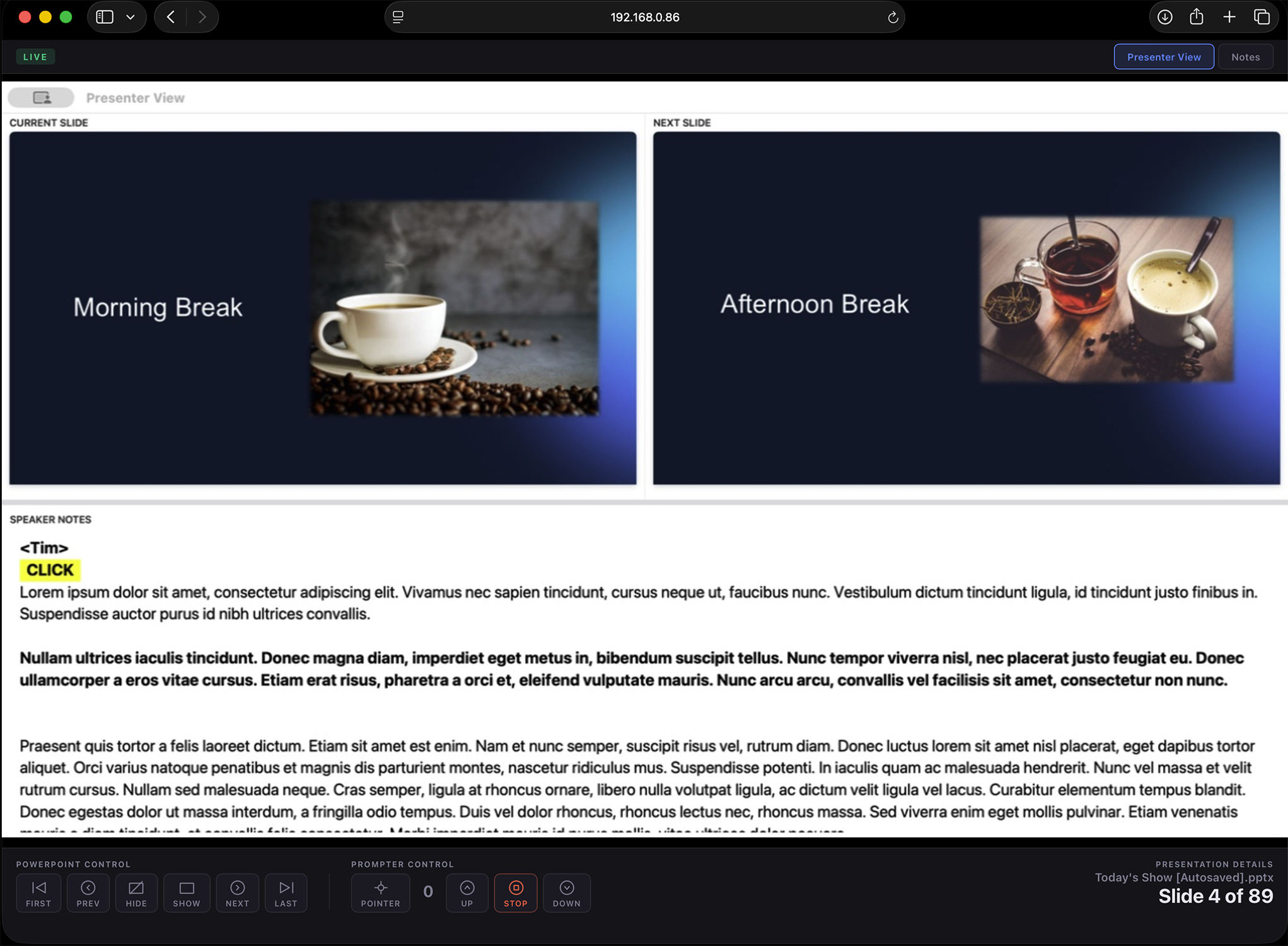
Web Remote browser interface — live slide preview and navigation buttons
Live Slide Preview
A real-time preview of the current slide updates at the configured LiveView Rate (up to 30fps).
Navigation Controls
Previous, Next, First, Last, Hide, and Show buttons — identical to the Display app toolbar.
Speaker Notes
The current slide's speaker notes are shown with all the formatting and styles set in the presenter view..

Performance & Bandwidth

If the web remote feels sluggish on a congested Wi-Fi network, reduce the LiveView Rate in Settings to Medium (20fps) or Low (10fps). At Low rate, navigation and notes continue to update instantly — only the live preview frequency is reduced. If all else fails, turn off liveview to just receive still images.

Change the default password (nextnote) before using the Web Remote at any event where guests share the same Wi-Fi. Anyone with the URL and password can control your presentation.