


App Settings
Configure appearance, failover behaviour, room filtering, OSC control, timer outputs, Web Timer and RemoteView.
Dark Mode
Toggles the NextNote Display interface between dark and light themes. The setting is saved and applied on next launch. Dark mode is recommended for low-light event environments.
Auto Failover
When enabled, if the Main helper disconnects, the Backup helper automatically becomes live without any operator action. This is critical for high-reliability event production where a dropout must be invisible to the audience.
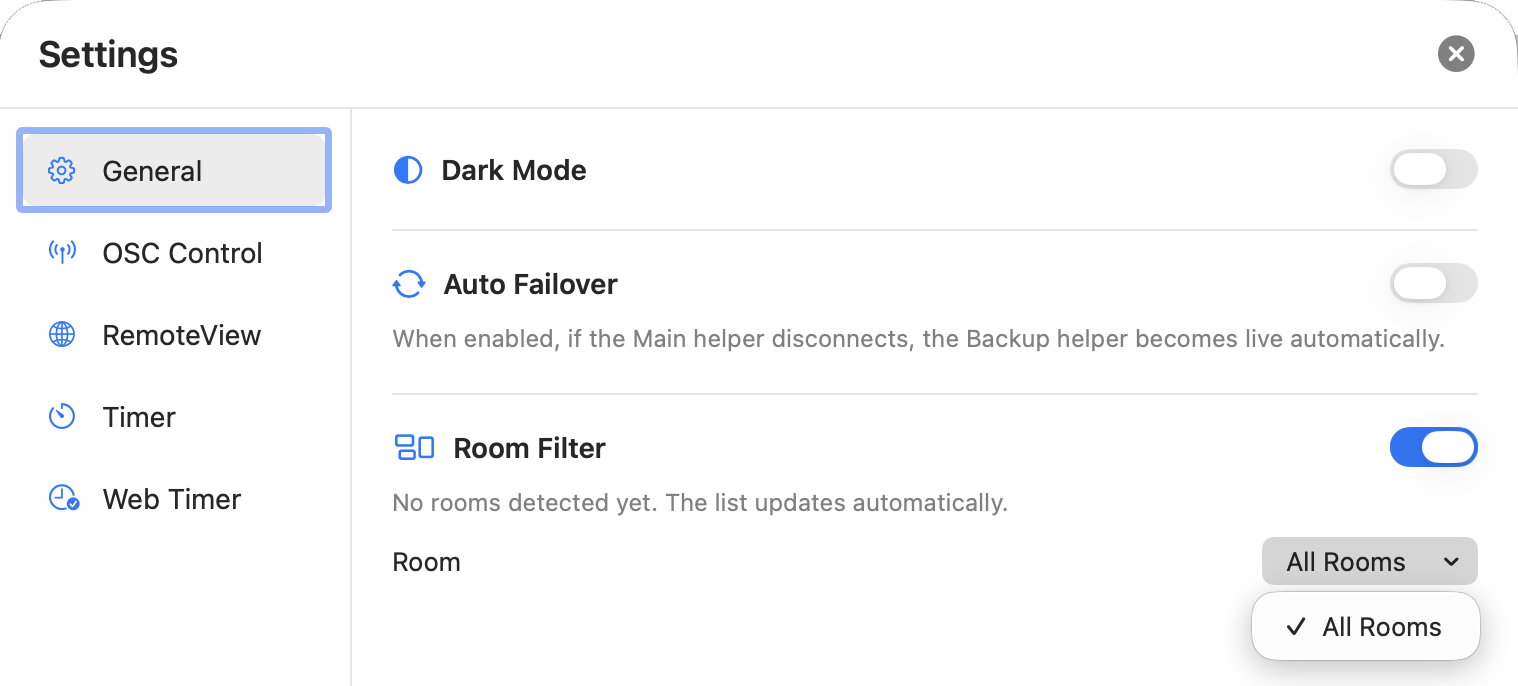
Room Filter
Use Room Filter on large multi-room events where several Helpers are visible on the same network. Room names are advertised by the Helpers and the list updates automatically as they are discovered.
OSC Control
Enable this to allow external controllers — such as a Stream Deck via Bitfocus Companion — to control the Display app over the network.
When OSC is running, a green indicator shows Running on port 8000 (or your configured port).
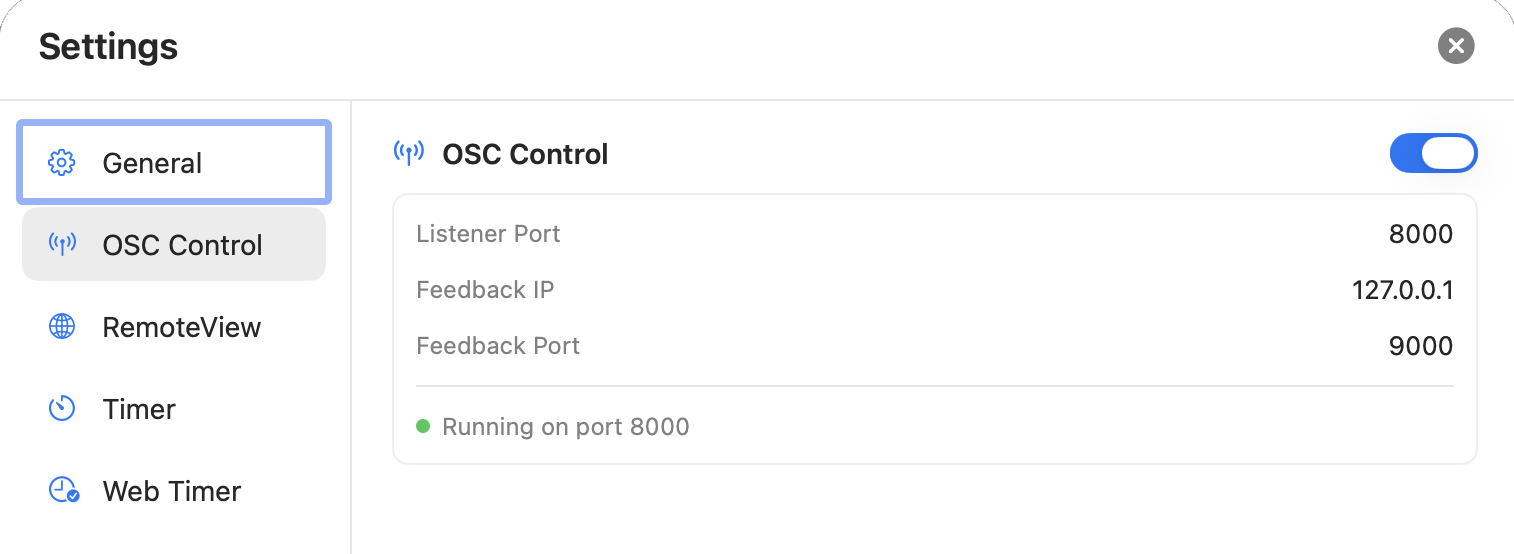
| Setting | Default | Description |
|---|---|---|
| Listener Port | 8000 | The UDP port NextNote listens on for incoming OSC messages. |
| Feedback IP | 127.0.0.1 | The IP address NextNote sends OSC feedback to. Set this to the IP of your Companion/OSC controller machine. |
| Feedback Port | 9000 | The UDP port NextNote sends feedback to on the Feedback IP. |
Timer
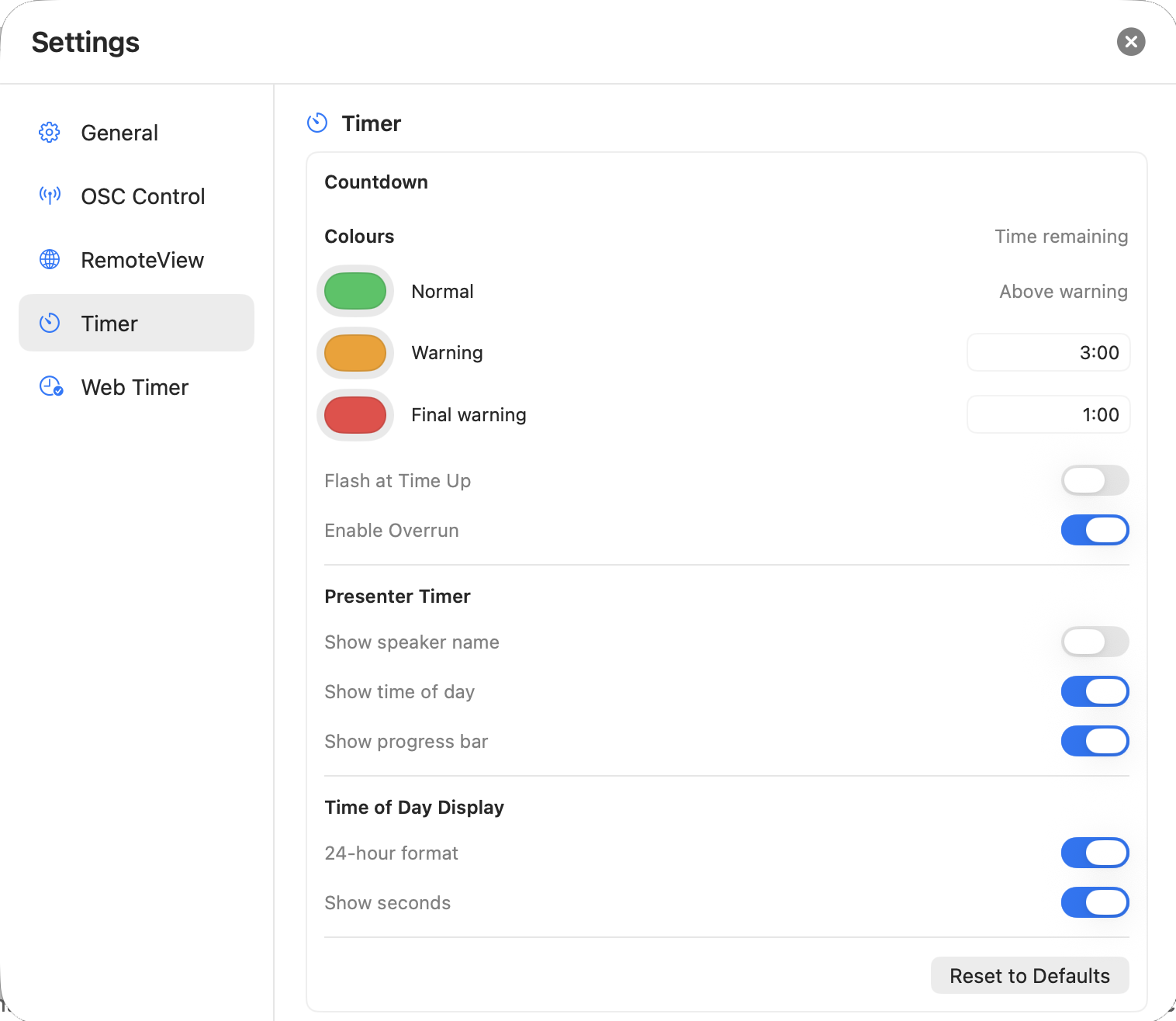
Timer settings control how the countdown changes colour and what appears in the Presenter Timer. Choose the normal, warning and final-warning colours, then set when each warning begins. You can also flash the timer at time-up or allow it to continue into overtime.
Under Presenter Timer, choose whether to show the speaker name, time of day and a progress bar. The Time of Day Display options control 12- or 24-hour time and whether seconds are shown.
Web Timer
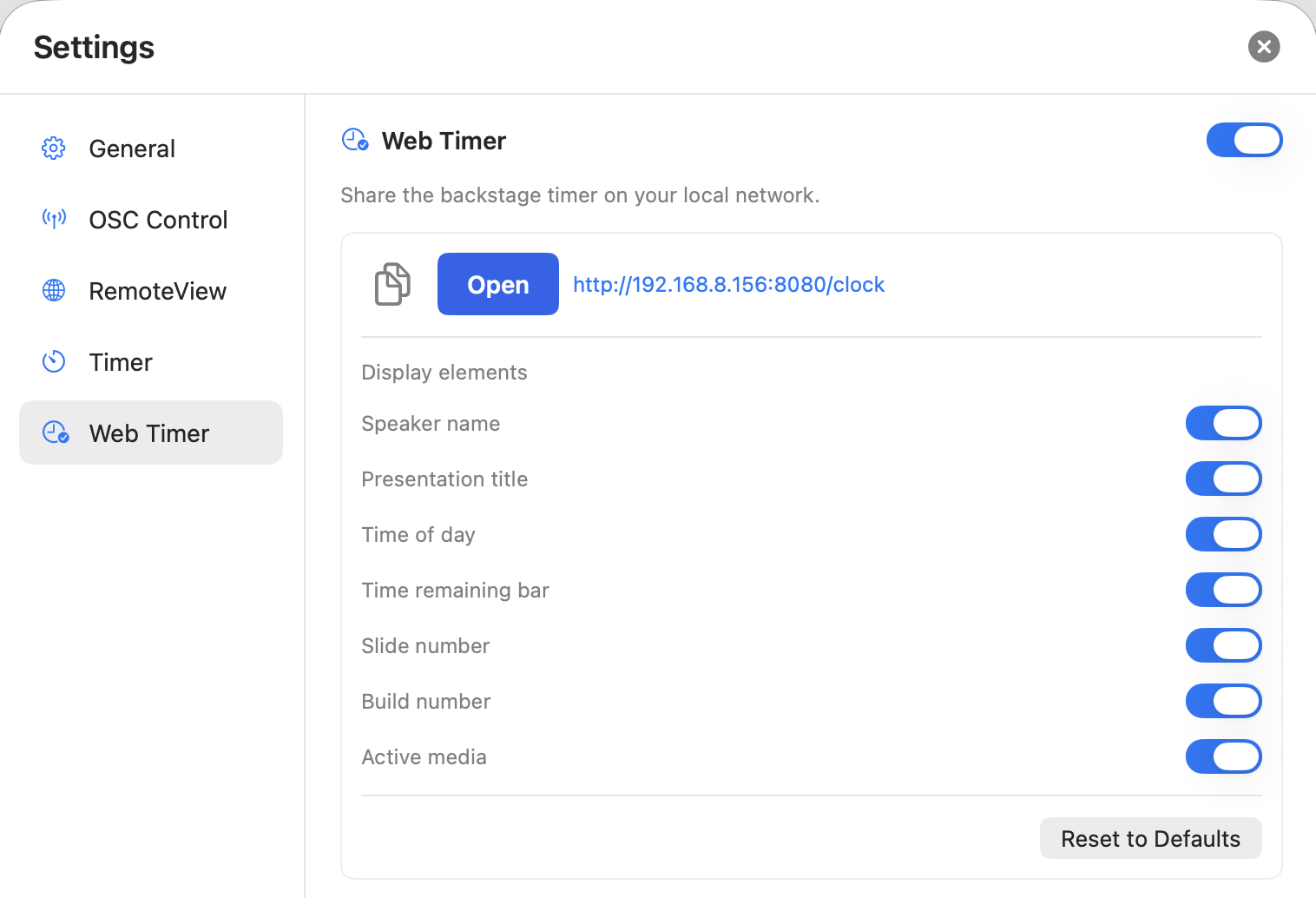
Web Timer shares the active countdown as a simple browser page on your local network. Turn it on, then use Open to view the page or copy its local address for another device on the same network.
Use Display elements to choose what viewers see: speaker name, presentation title, time of day, time remaining bar, slide number, build number and active media.
RemoteView
Enables a browser interface for tablets and laptops on the same local network. RemoteView is not designed to provide access across the internet.
When RemoteView is running, the app shows a local URL. Share it only with authorised users, together with their access code where one is configured.
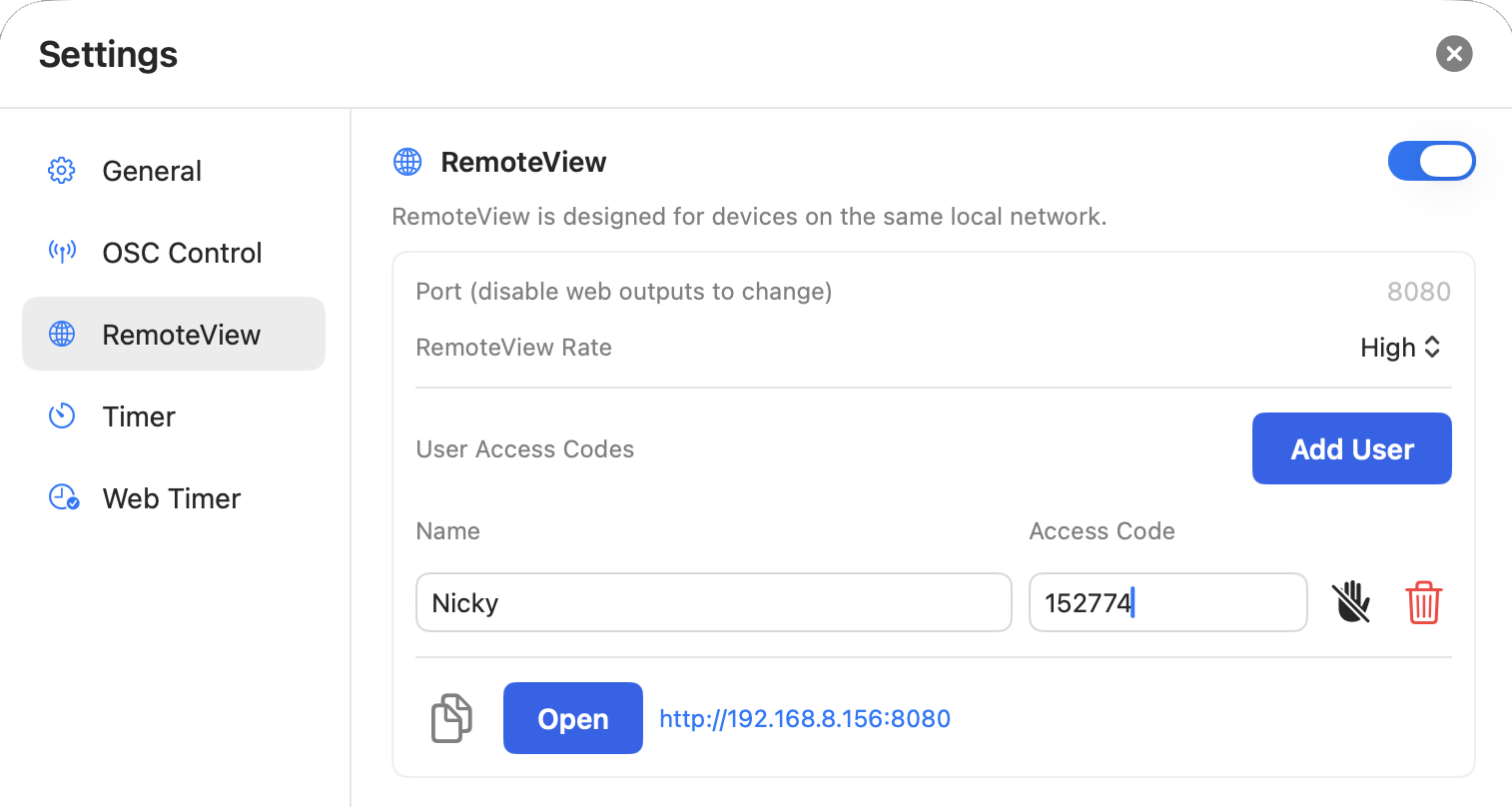
| Setting | Default | Description |
|---|---|---|
| Port | 8080 | The local HTTP port used by RemoteView. |
| RemoteView Rate | High | Select High for the smoothest preview or Low to reduce local network and processing load. |
| Access Code | None | Add an individual access code for each RemoteView user and choose whether it provides control or view-only access. |