


Layout
Timer Designer
Choose where the presenter timer appears, what it displays and how it looks during a presentation.
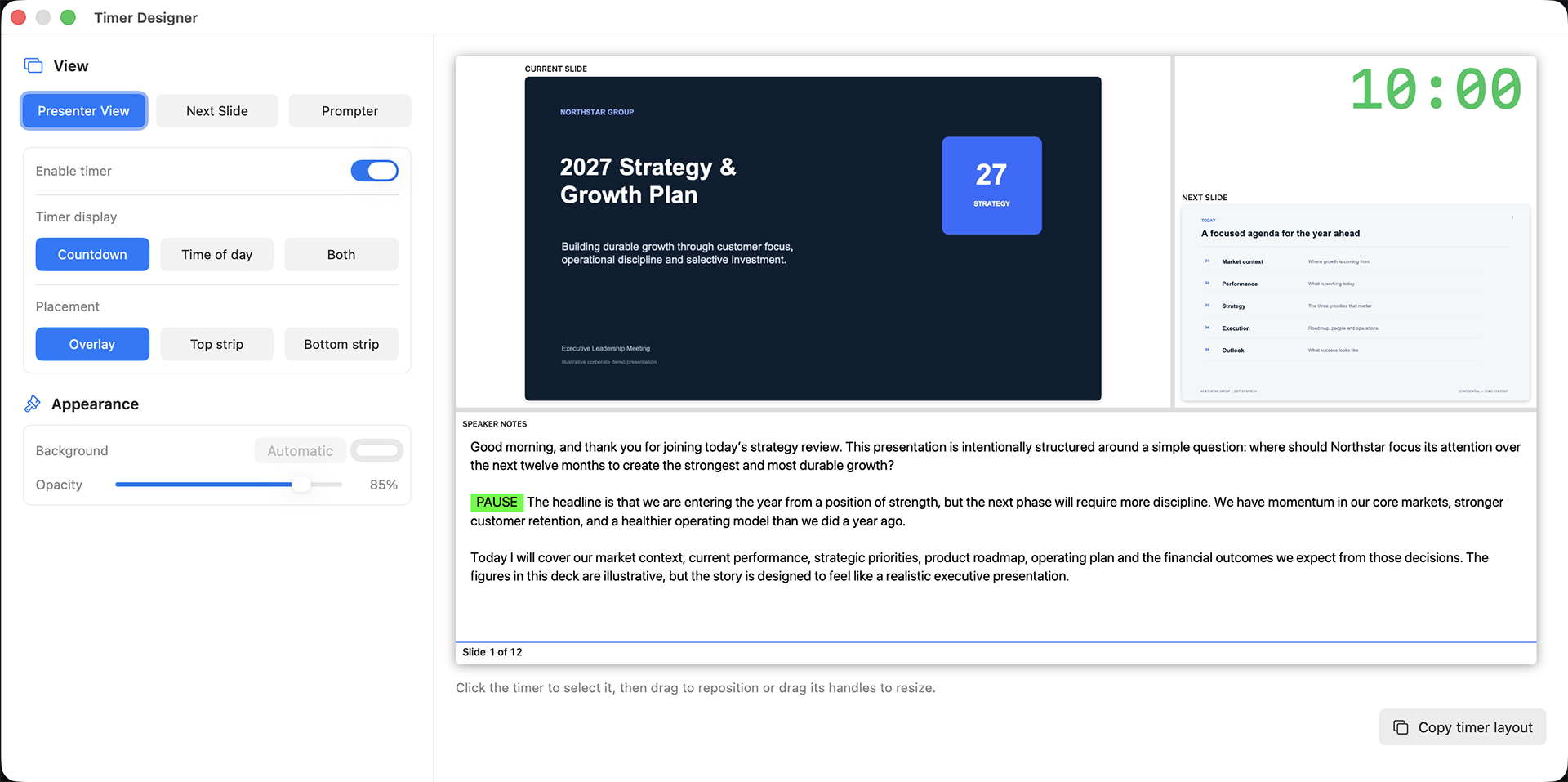
Choose the timer view
Use the View buttons to choose which output you are designing: Presenter View, Next Slide or Prompter.
Enable and display the timer
Turn Enable timer on to show the timer. Choose Countdown, Time of day or Both.
Set its position
Choose Overlay, Top strip or Bottom strip. Click the timer in the preview to select it, then drag it to reposition or drag its handles to resize.
Adjust appearance
Use the background and opacity controls to keep the timer readable against the presentation. Use Copy timer layout to reuse the design on another output.